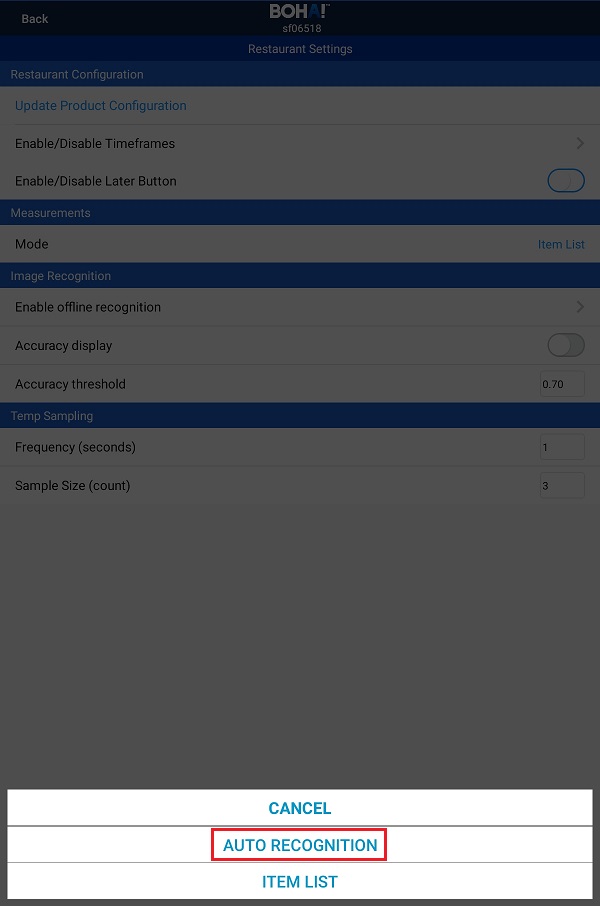
The BOHA! Temp app has the ability to automatically recognize the item you are temping by sending a picture of it to our Neural Network AI Engine in the Cloud. In order to do this, the Measurement Mode in the BOHA! Temp app must be changed to “Auto Recognition”.
Here is how to switch the Measurement Mode from “Item List” to “Auto Recognition” in the BOHA! Temp app.
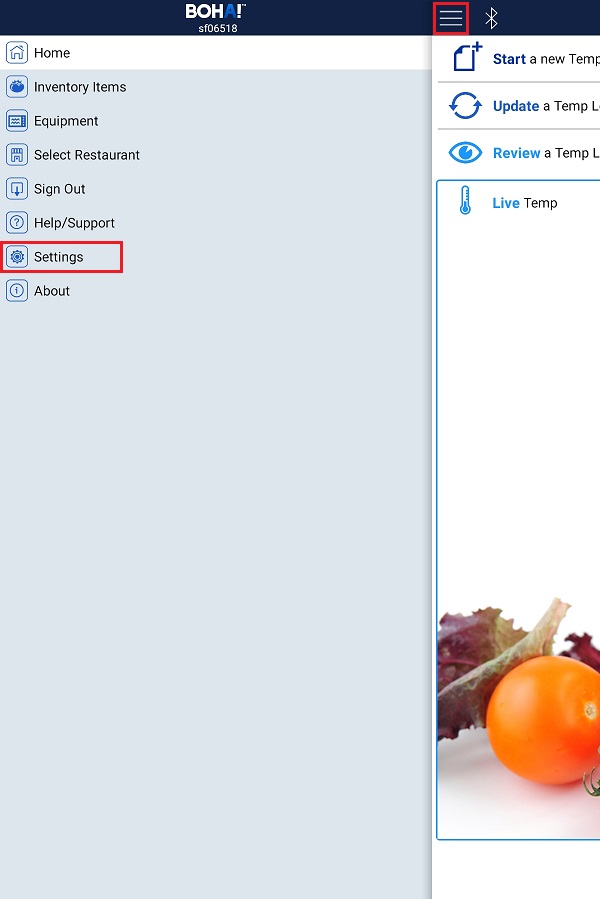
Go to the Menu (the three bars on the top left) and tap on Settings.
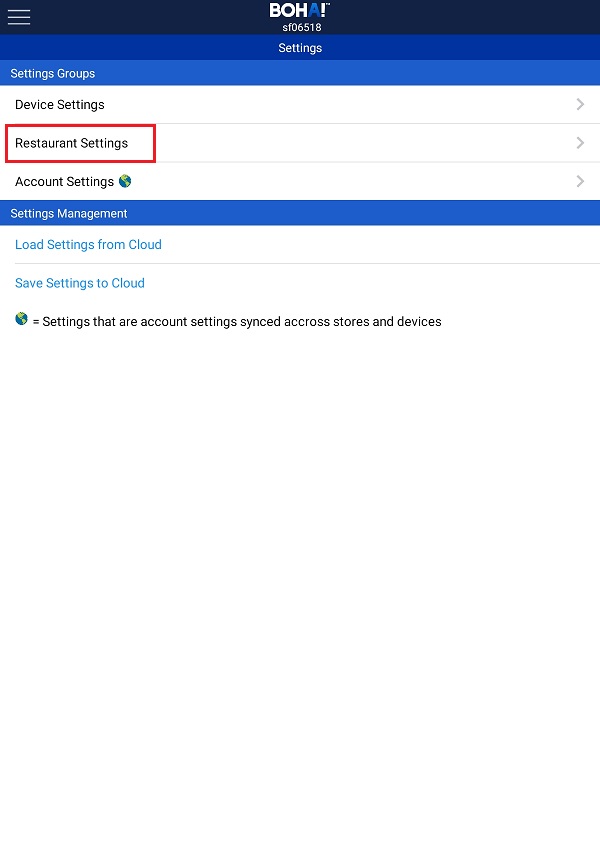
Tap on Restaurant Settings.
Tap on Mode in the Measurements section.
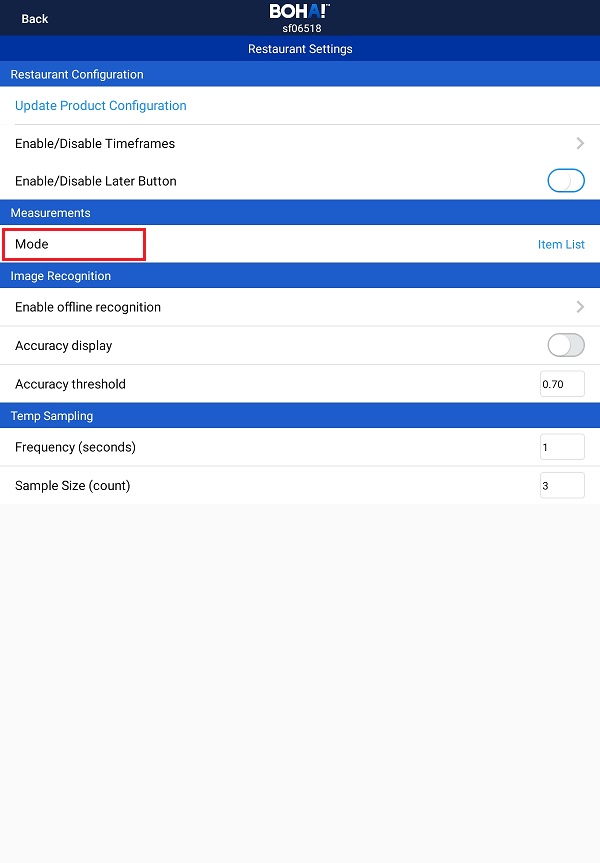
Select Auto Recognition.
Tap Back in the upper left corner of the screen.
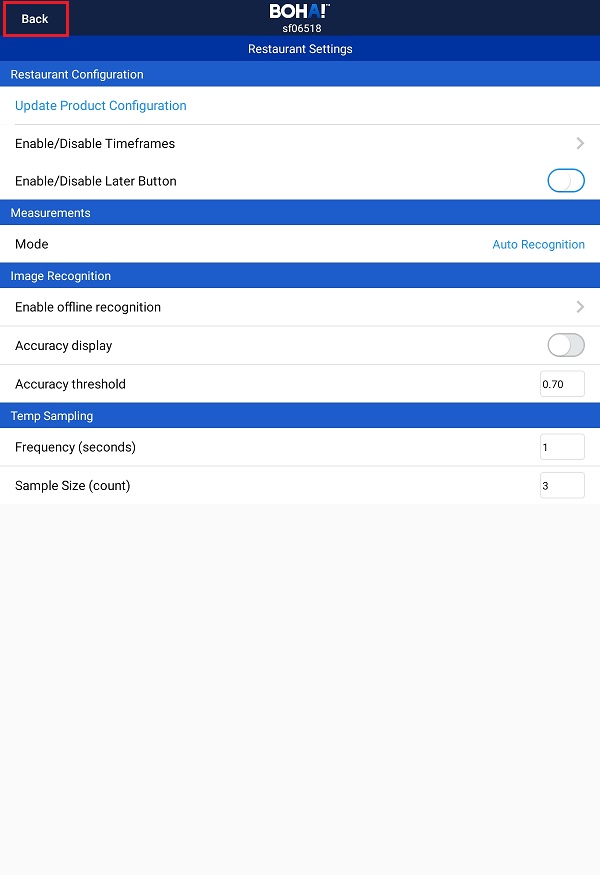
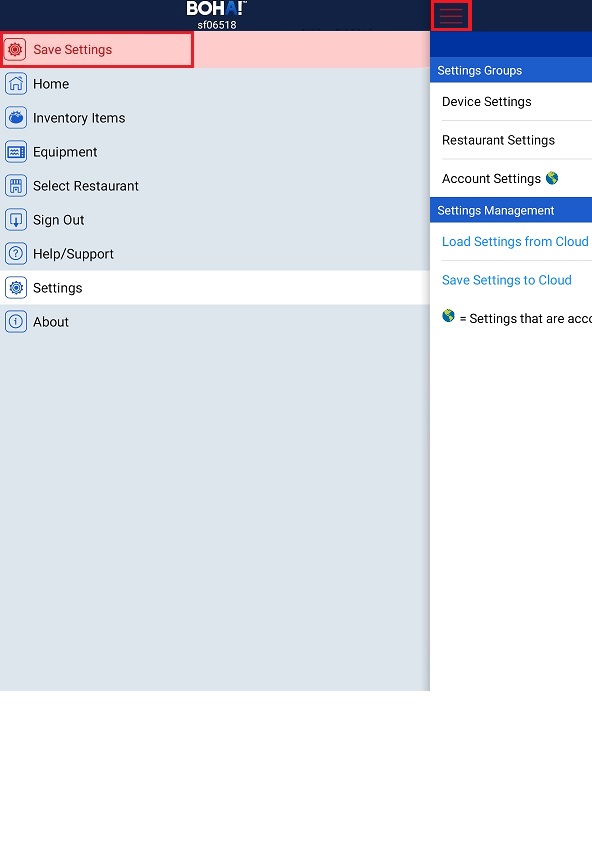
Do not forget to Save your settings. Tap on the Menu icon (the 3 parallel lines in the upper left corner) and then tap on the red Save Settings option.