You will need to publish your menu before it is available on the BOHA! Terminal. You can do this in the Locations Manager or the Menu Manager.
To publish a menu using the Locations Manager
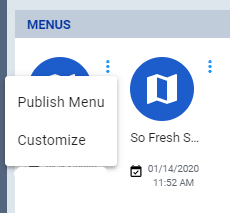
- Click the 3 dots next to the menu and select “Publish Menu”
- Then, select the date and time to publish and click “Publish”

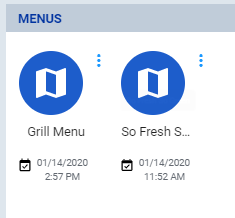
- Once published, you will see the date and time the menu will be published
To publish the menu using the Menu Manager
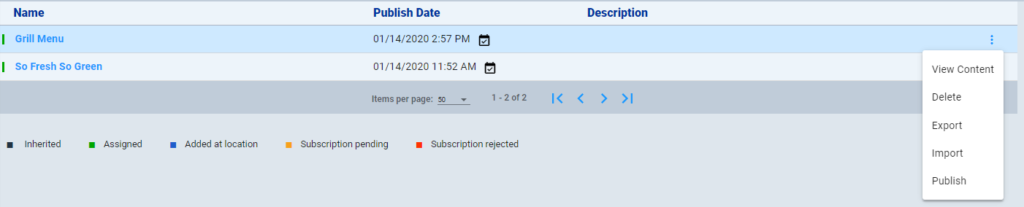
- Click the 3 dots next to the menu and select “Publish Menu”
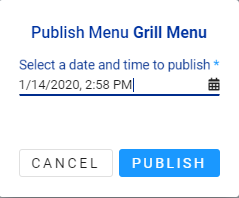
- Then, select the date and time to publish and click “Publish”
- Once published, you will see the date and time the menu will be published
