
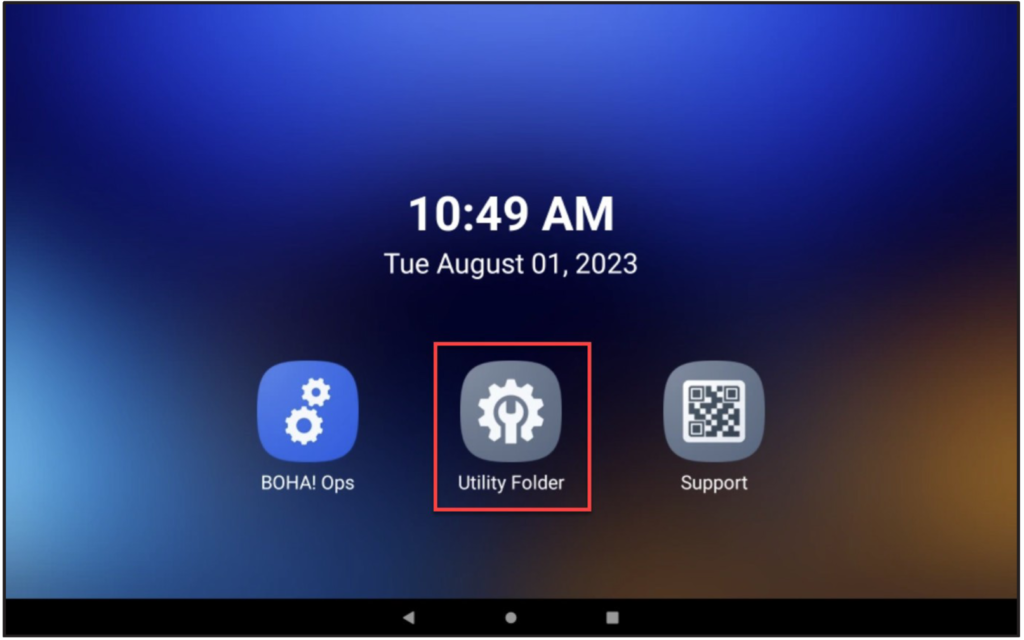
Tap on UTILITY FOLDER
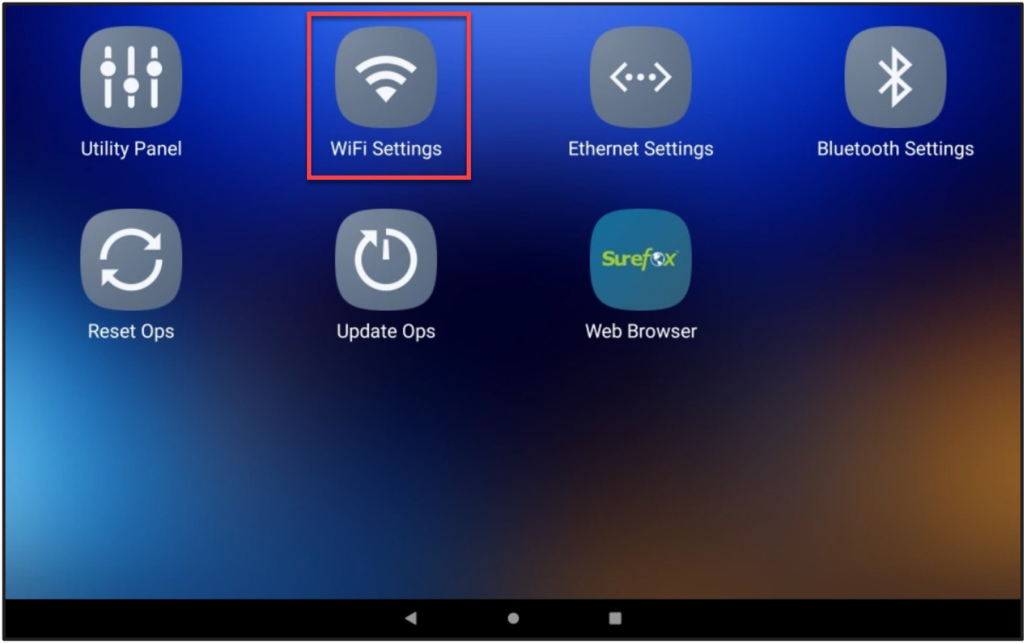
Select WiFi Settings
Find and select your SSID

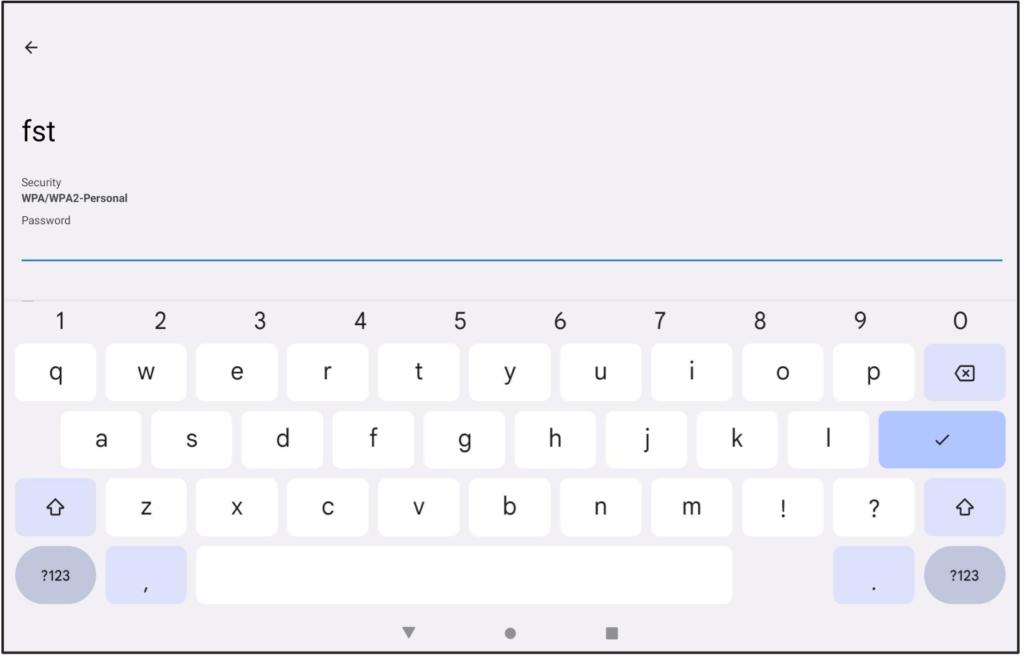
Enter the WiFi’s password
To forget a Network
Tap on the Gear Icon for the desired SSID you’d wish to forget

Tap on “FORGET

Tap on UTILITY FOLDER
Select WiFi Settings
Find and select your SSID
Enter the WiFi’s password
To forget a Network
Tap on the Gear Icon for the desired SSID you’d wish to forget
Tap on “FORGET